Hi team,
Version 9.2 - Kingdom Prestige
Overall, I feel positive about this change. I want it to be successful and I think it has been.
There are two visual things in the new content that are rather annoying/confusing, not just to me. Two very practical changes would make this new system less confusing, less frustrating, even more enjoyable.
ISSUE ONE: New players are getting the temporary visual pop-up for every kingdom prestige task they accomplish. The game tells them, “Collect [X_Kingdom_Name] Troops. Ready to Collect.” Please see two photos attached.
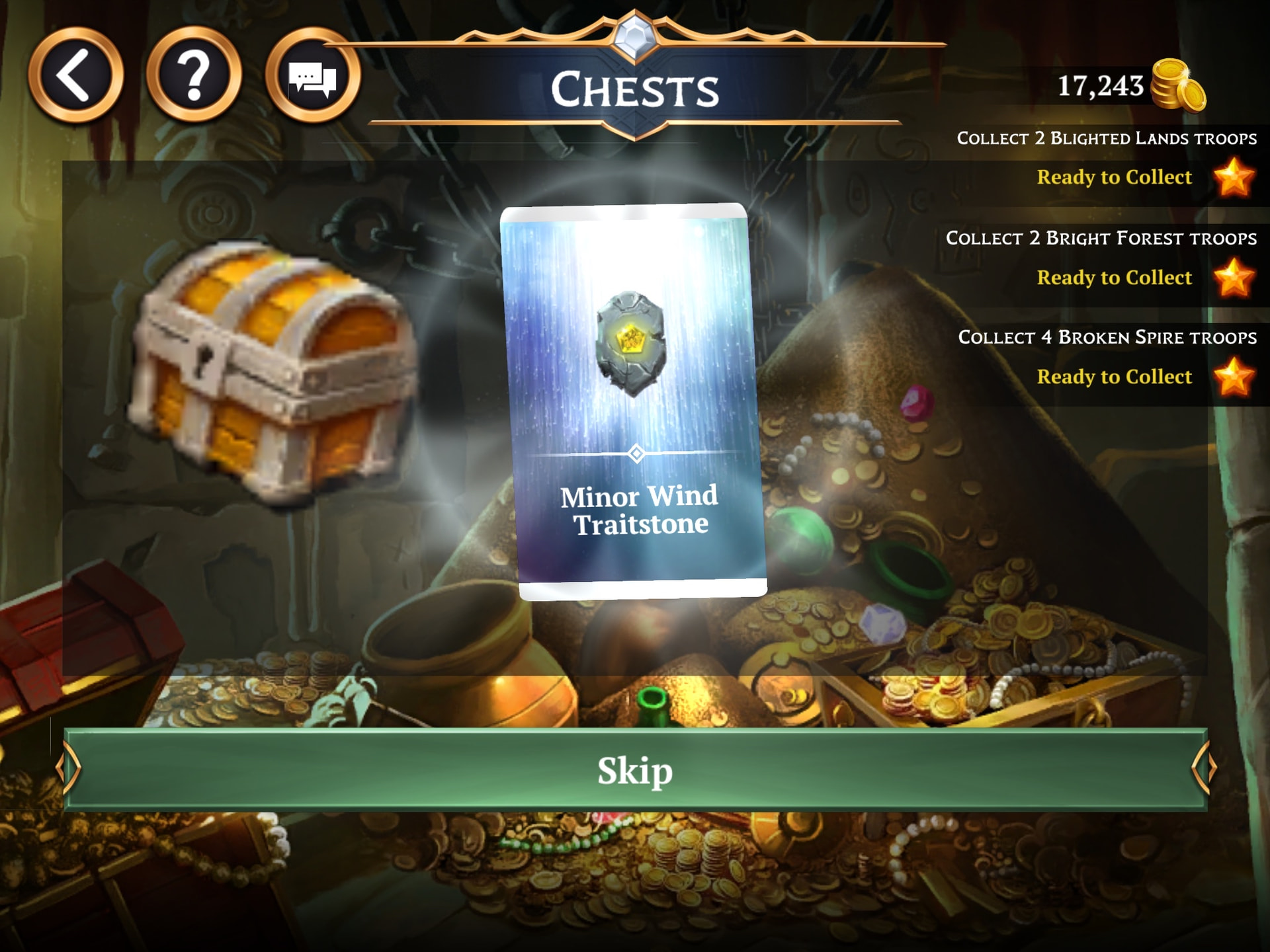
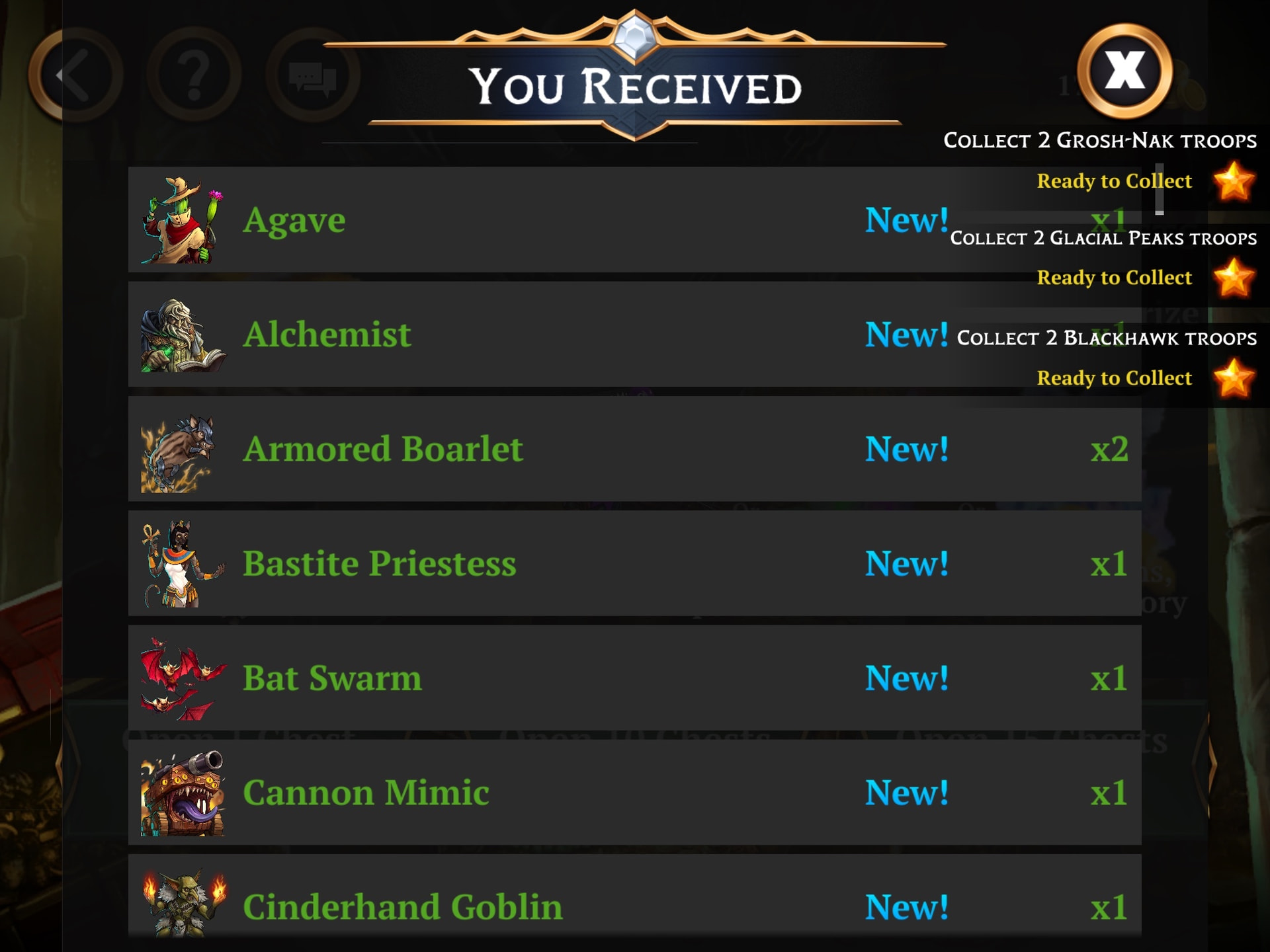
This is confusing and annoying for several reasons. Mainly, the hero pictured has one kingdom unlocked - Broken Spire. They are like level 17. They can’t even see Grosh-Nak, Blackhawk, Glacial Peaks on the map yet at all. The tasks are not collectable at this time.
The first time a player joins a guild and dumps 200 gold keys into the chests, a whole wave of these notifications is going parade by their screen. Where will the player collect them? Nowhere. What does this even mean to a new player? Confusing.
Furthermore, the notifications use the Campaign Stars Icon. See, here’s the prestige task notif…

Here’s the campaign stars…

That’s just a pile of confusion and frustration waiting to happen for players who are trying to digest a huge amount of currencies, points, trackers, etc. I love that the game has breadth like that, but these should look different.
Suggestion: Change the icon to something exclusively related to Kingdom Prestige or XP.
Change the system to that the visual pop-ups are not displayed before their associated kingdom is actually available to level up.. only once the tasks actually literally can be collected should players be informed they’re ready to collect.
SECOND THING:
The XP tracker for leveling your kingdoms prestige with crystals… is confusing at least three of us in my conversations yesterday. The issue is, we are annoyed because when we spend crystals to reach a certain prestige level, the tracker visually makes us think we have hit the level we wanted, but then we confirm the spending and we find that we are one level short.
EX: we want level 30. We spend a bunch of crystals, then we think we spent enough for level 30 and we confirm. We get the pop up and it says we reached prestige level 29. What the heck?
Please see this post from another player:
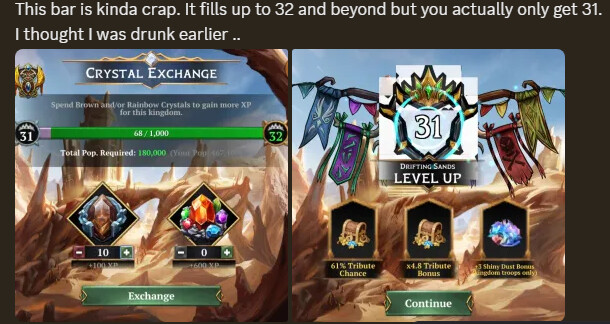
SUGGESTION: I’m not totally sure what the exact solution should be but I feel like part of the problem is that 32 in this picture is green and 31 is grey. That makes me unconsciously think I’ve reached 32. Also, 32 is displayed on the right side of the screen (out of frame in this picture)
I guess tl;dr for issue 2 here is that it should only display the level you’re actually about to purchase.
Thanks for the time, love the prestige update, please keep up the good work.
Goblin